Migrating from Microsoft to Google Workspace: The Executive Enterprise Guide
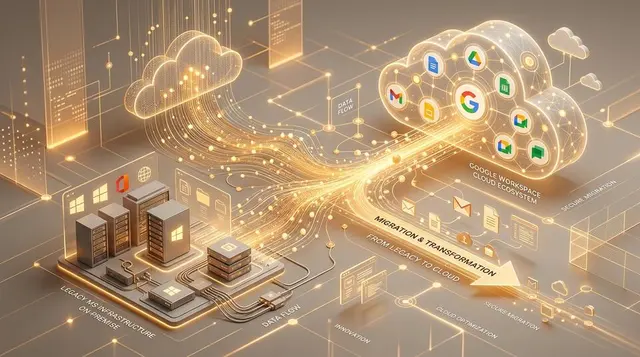
In business leadership, technology decisions fall into two categories: those that merely swap out software tools, and those that fundamentally re-architect the operational DNA of the organization.
Transitioning your company from a legacy Microsoft environment (local file servers, Windows Active Directory, heavy desktop Office files) to the cloud-native ecosystem of Google Workspace belongs squarely in the second category. It delivers unmatched speed, eliminates local server maintenance overhead, embeds native Gemini AI across every workflow, and enables true real-time collaboration—ending the chaos of emailing `Report_v2_FINAL_new.xlsx` attachments.
However, Google’s promise that "everything just works in the cloud" often masks a dangerous trap: the illusion of simplicity.
Migrating 25, 50, or 150 employees from Microsoft to Google is not a simple copy-paste of folders and inboxes. It is the structural replacement of your company’s digital foundation while the building remains fully occupied and operational.
Over the past two decades, we have been called in repeatedly to rescue botched, amateur migrations that paralyzed companies on day one. Below, we break down the hidden technical bottlenecks and strategic pillars required to guarantee a secure, Zero-Downtime transition.
1. The Myth of "Just Uploading Our Folders to Drive"
Many organizations assume that retiring a local Windows File Server simply means dragging folders into a Google Drive account. That approach is a recipe for permission leaks and operational chaos:
- The Permissions Trap (NTFS vs. Shared Drives): On your local Windows server, folders like "HR" or "Finance" are restricted via NTFS permissions. If you migrate those files into personal "My Drive" folders, permission hierarchies break and file ownership belongs to individual users rather than the company. A compliant enterprise architecture requires Google Shared Drives mapped to role-based security groups.
- "Ghost" Local Archives (Outlook PST Files): Automated cloud migration tools only transfer emails stored on the Exchange server. What happens to the 20 GB local `.pst` archive stored on the C: drive of your accounting or executive assistant’s desktop? Unless audited and ingested during pre-migration discovery, a decade of critical business correspondence can vanish the day Exchange is decommissioned.
2. The Day-1 Technical Minefield (Go-Live)
Getting Gmail to send and receive messages on Monday morning is the easy part. The real operational risks hide in peripheral systems tightly coupled to legacy Microsoft infrastructure:
- Windows Desktop Login Lockouts: If employee PCs authenticate against a local Active Directory domain controller, unplugging that server locks staff out of their computers. We deploy GCPW (Google Credential Provider for Windows) prior to cutover, allowing employees to sign into Windows using their corporate Google Workspace credentials with Single Sign-On.
- Multifunction Printers & ERP Invoicing Paralysis: Your office scanners (Scan-to-Email) and ERP/payroll software (automated invoice dispatching) are hardcoded to relay through Microsoft Exchange. On day one of Google Workspace, automated invoicing will halt unless Google Workspace SMTP Relay and dedicated authentication rules are pre-configured.
- Shared Mailboxes vs. Collaborative Google Groups: Microsoft provides `info@` or `sales@` as Shared Mailboxes. Recreating them as paid user accounts in Google Workspace wastes licensing budget. Instead, we architect them as Collaborative Inbox Google Groups, preserving team assignment workflows at zero extra license cost.
3. Migrating Complex Workflows: From Excel VBA Macros to Google Apps Script
One of the biggest concerns for finance and operations teams during migration is mission-critical Excel workbooks powered by legacy VBA macros.
- Why Direct Upload Fails: VBA macros do not run natively inside cloud spreadsheets. Re-platforming them requires Google Apps Script (JavaScript-based cloud automation) or AppSheet.
- Deep Needs Analysis First: Rather than blindly rewriting 10-year-old macros, we audit the underlying business logic first—identifying which spreadsheets should be modernized into automated Apps Script pipelines or no-code AppSheet applications.
- Phased Pilot Rollout: For organizations with 10 to 20+ departments, we establish a pilot group of 2–3 core departments to validate templates and workflows before rolling out department-specific discovery sessions.
4. License Optimization, Secondary Domains & DNS Hardening
Cost efficiency and email deliverability are twin pillars of sound Workspace architecture:
- Secondary Domains & Email Aliases: If your group operates multiple brands or subsidiary domains, you do not need to pay for separate licenses per domain. Proper architecture of Secondary Domains and Aliases lets staff send and receive across multiple brands from a single unified inbox.
- Cryptographic DNS Hardening: To prevent spoofing and ensure invoices never land in client spam folders, we configure and verify MX, SPF, DKIM (2048-bit), and DMARC enforcement policies.
5. The Invisible Enemy: Human Change Management

The biggest barrier to technology adoption is never the software—it is human habit. If your accounting or operations team feels stripped of Outlook and desktop Excel without support, productivity plummets. Empathetic Change Management removes the friction:
- Preserving the Familiar Local Drive Experience: We deploy Google Drive for Desktop, mounting cloud Shared Drives as a familiar `G:` drive inside Windows File Explorer—eliminating the shock of losing the local file server.
- Native Office Editing Without Forced Conversion: We train teams to open and edit `.docx` and `.xlsx` files natively in Chrome without breaking formatting.
- Visual Continuity in Gmail: We configure Gmail’s vertical Reading Pane and keyboard shortcuts to mirror familiar desktop email layouts from day one.
6. The Two-Phase "Zero-Downtime" Migration Strategy
Amateur migrations shut down email over a weekend and pray that terabytes of historical data finish uploading by Monday. For an established enterprise, that is mathematically impossible. Our professional methodology executes in two phases:
- Phase 1 — Pre-Stage Sync: Weeks before cutover, we silently synchronize historical emails, calendars, and files (from 10 years ago up to last month) in the background while your team continues working normally in Microsoft.
- Phase 2 — Weekend Delta Sync: On Friday evening, we switch the MX records to Google Workspace and run a fast Delta Sync capturing only the final few days of changes. By Monday at 08:00, 100% of historical and current data is live with zero operational downtime.
Migrating to Google Workspace is a high-leverage strategic investment. Guided by an experienced certified architect, your transition moves beyond a mere license purchase to become a permanent upgrade in speed, security, and organizational clarity.
Found this useful? Share it with your network
Help other executives and teams make better technology & marketing decisions.
Related Articles
Want to discuss how these apply to your business?
Let’s connect the dots together and design your next strategic step.